

.png)
HOW TO APPLY
Applicants can submit their application using their own email address.
No payment or account creation is required.
Applications are FREE OF CHARGE!
-
Step 1: Go to the Application Page
Click on the application page.
(CLICK HERE TO GO TO THE APPLICATION PAGE) -
Step 2: Enter Your Email Address and Security Code
Enter a valid email address on the page that opens.
Carefully type the security code (captcha) shown in the image into the box.
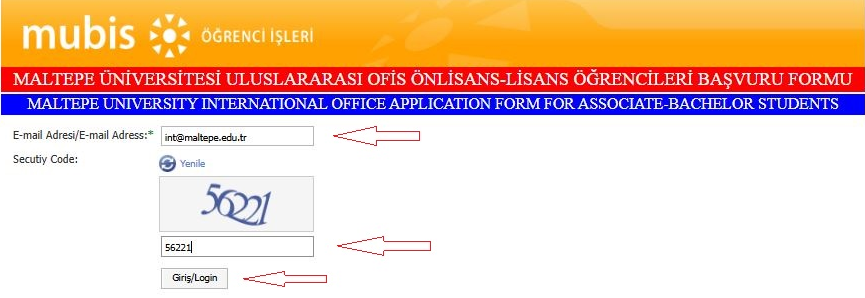
Then click the “LOGIN” button.
Step 3: Enter the Verification Code Sent to Your Email
-
A 6-digit verification code will be sent to the email address you entered within a few seconds.
-
Enter this code carefully in the relevant field on the website and continue.
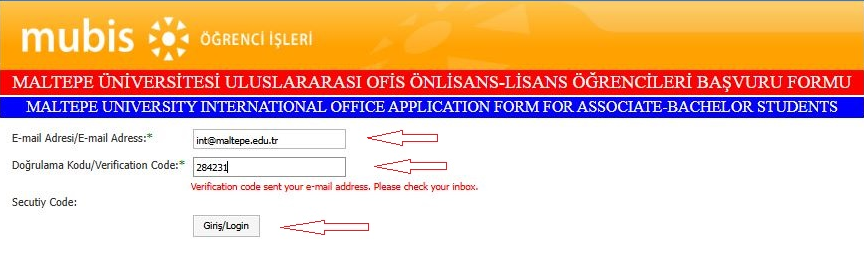
Step 4: Complete the Application Form
-
Fill in all required information in the application form accurately and completely.
-
If any documents are requested, upload them to the relevant sections.
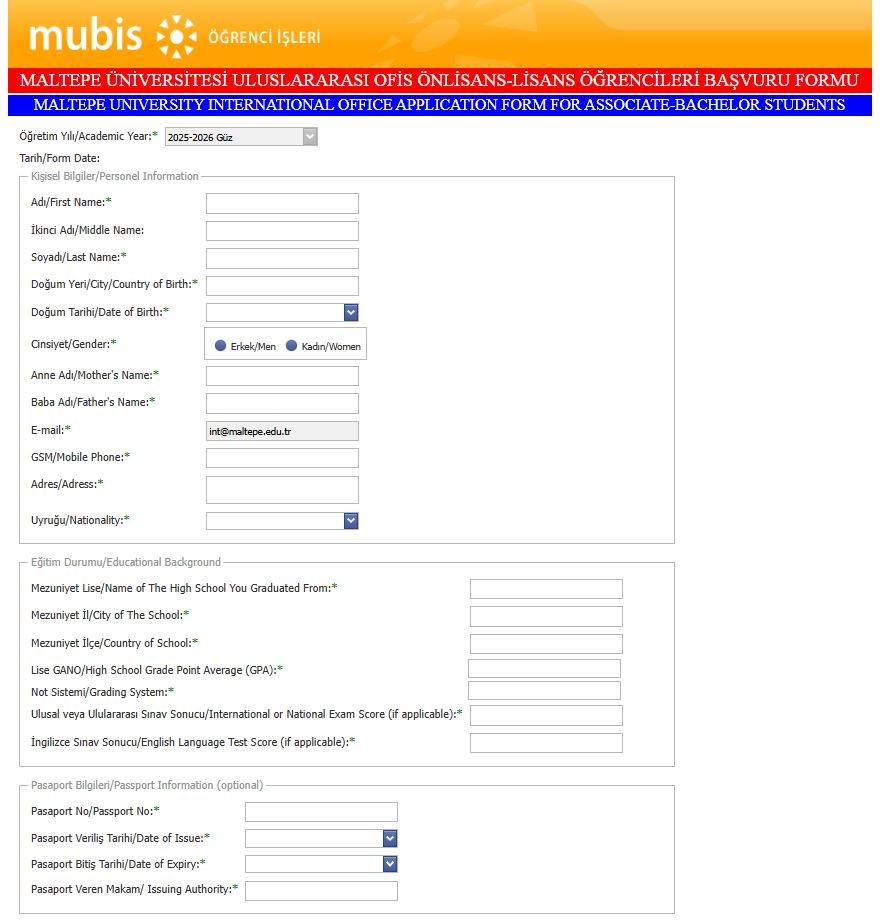
After reviewing all the information, click the “Save” button at the bottom of the page.
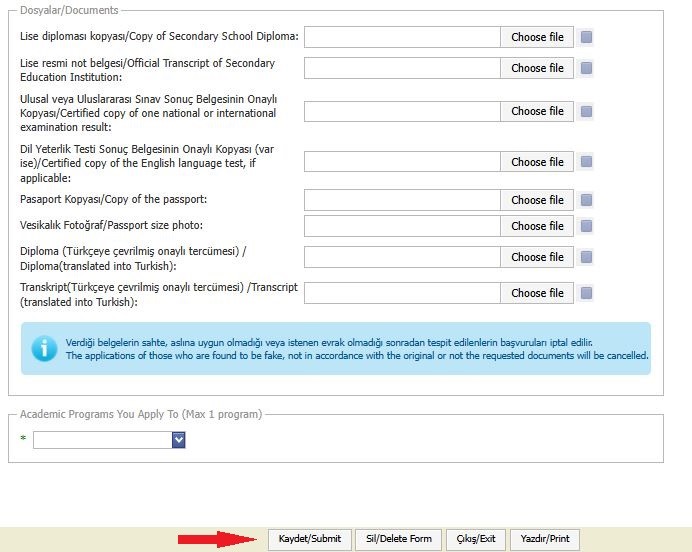
- Congratulations! 🎉 Your application has been successfully submitted.
Please remember to check the notifications sent to your email address to track your application status and follow the process.